Module Boundaries
There are two types of modules: Barrel Modules, which include an index.ts file in their root folder, and Barrel-less Modules. Barrel-less modules require a configuration file, while barrel modules do not.
The recommendation is for barrel-less modules because they optimize tree-shaking.
A project allows both module types. However, if a module, configured as barrel-less, contains a barrel file, it becomes a barrel module.
Barrel-less Modules
Barrel-less modules have a subdirectory internal. All files in that subdirectory internal are encapsulated, i.e. other modules cannot access them.
The configuration file sheriff.config.ts defines these modules. The CLI command npx sheriff init generates the configuration automatically with the following content:
export const config: SheriffConfig = {
  modules: {},
  depRules: {
    root: 'noTag',
    noTag: 'noTag',
  },
};
The depRules can stay as they are. They allow all modules to access each other.
The modules object defines the modules. The key is a directory path relative to the project root. The value is a string or an array of strings, defining the tags of the module.
For example, the current project has the directories db and web. modules defines them as follows:
export const config: SheriffConfig = {
  modules: {
    db: 'noTag',
    web: 'noTag'
  },
  enableBarrelLess: true, // <-- this is important
  depRules: {
    root: "noTag",
    noTag: "noTag"
  }
};
Again, the value noTag means that there is no restriction on which modules can access each other.
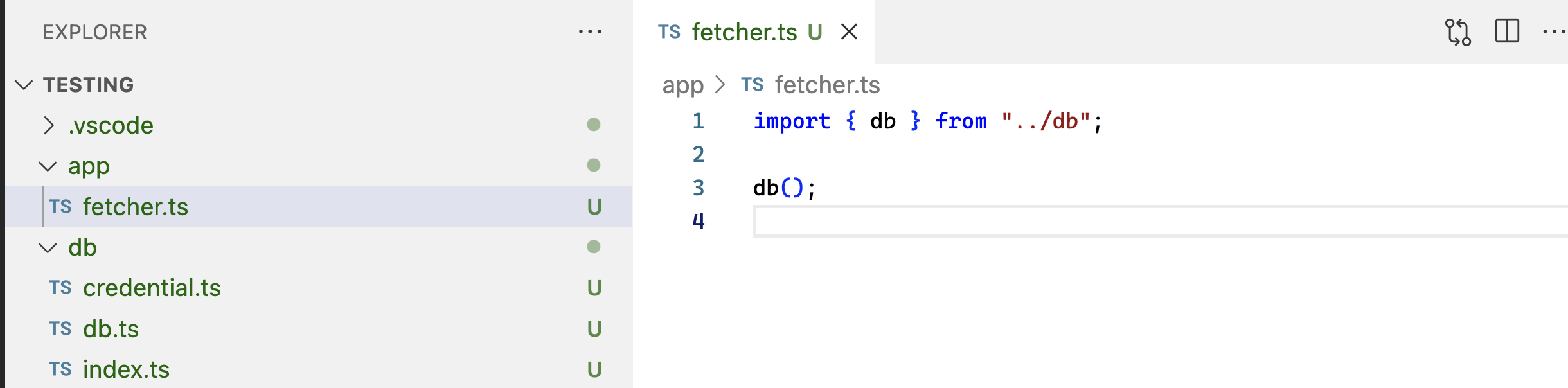
The web module has a dependency on db. The file fetcher.ts in web imports db.ts from db. This is a valid import because db.ts is not located in the internal directory of db.
Therefore, ESLint does not show any errors.
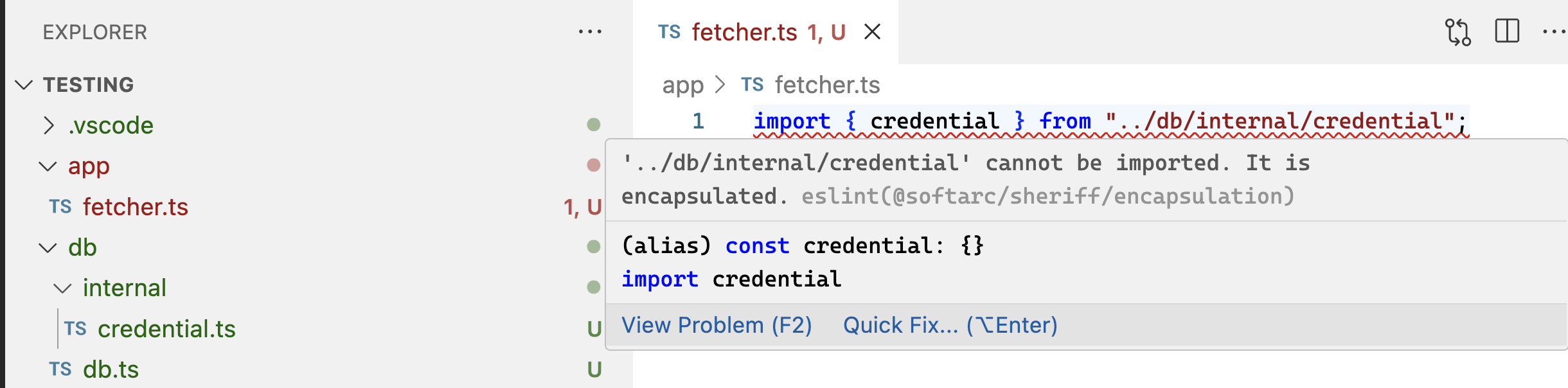
However, if fetcher.ts accesses credentials.ts from db, ESLint will show an error. This results in an encapsulation violation because credentials.ts is located in the internal directory of db.
File-level exports
For barrel-less modules, internal is a negative rule: files outside the internal folder are public. A module can also declare a positive public API with exports.
export const config: SheriffConfig = {
  modules: {
    'domains/booking/api': {
      tags: ['type:api', 'port'],
      exports: ['*.port.ts'],
    },
    'domains/booking/feature': ['type:feature'],
  },
  enableBarrelLess: true,
  depRules: {
    '*': '*',
  },
};
With this configuration, files in other modules can import domains/booking/api/booking.port.ts, but they cannot import another file in the same module such as domains/booking/api/http-booking.ts. Imports inside domains/booking/api are still module-internal and are not checked by exports.
Export patterns are matched against module-relative file paths. A * matches
within one path segment only: *.port.ts matches booking.port.ts, not
internal/admin.port.ts. To export a file in a subfolder, include that segment
explicitly, for example internal/*.port.ts.
If exports is omitted, the historical barrel-less behavior remains unchanged: every file is public except files matched by the encapsulation pattern (internal by default). When exports is present, it defines the public API and takes precedence over the default internal convention, so an explicit pattern such as internal/public.ts exposes that file. An empty exports array exports nothing. Multiple patterns are alternatives.
This solves a similar problem to @private and @public decorators, but at file level instead of symbol level. Decorators can be more precise, but Sheriff would need symbol-level AST analysis to enforce them. File-level exports is statically cheaper and follows the same module-relative matching model as the existing configuration.
File Modules
A module does not have to be a directory. When a module key's last segment ends with a source-file extension (.ts, .tsx, .mts, .cts, .js, .jsx, .mjs, .cjs), every matching file becomes its own single-file module:
export const config: SheriffConfig = {
  modules: {
    'src/app/stores/<name>.store.ts': ['type:store', 'store:<name>'],
  },
  depRules: {
    root: '*',
    'type:store': [], // stores must not import each other
  },
};
With this configuration, user.store.ts and order.store.ts are separate modules even though they share a folder — something directory modules cannot express. Placeholders capture inside the filename (<name> becomes user), and ** works to the left of the filename segment ('src/**/<name>.store.ts').
The rules for file modules:
- Detection is implicit but strict: only a last segment that literally ends with a source-file extension defines file modules. A generic key such as
'src/<domain>'keeps matching directories only, so existing configurations cannot gain surprise modules. - A file module always exposes exactly its own file.
exportson a file-module key is rejected (SH-023), and the encapsulation pattern does not apply. - Neighboring files get no special treatment.
user.store.spec.tsnext touser.store.tsbelongs to the surrounding directory's module (or the root module), so its import of the store is a normal cross-module import and needs adepRulelike any other. - File modules work in barrel mode too — an extension-suffixed key must not be silently dead just because the project uses barrel files. Directory keys keep their barrel-less requirement.
- A directory named like a file (
user.store.ts/) is never matched by a file-module key.
Barrel Modules
Barrel modules have an index.ts in their root folder. Sheriff detects them automatically, even if modules in sheriff.config.ts doesn't define them.
The index.ts file exports the files that other modules can access. The files that are not exported are encapsulated.
Since Sheriff detects them automatically, no configuration file is necessary. However, if a sheriff.config.ts exists, the initial content from the CLI is enough.
export const config: SheriffConfig = {
  depRules: {
    root: 'noTag',
    noTag: 'noTag',
  },
};
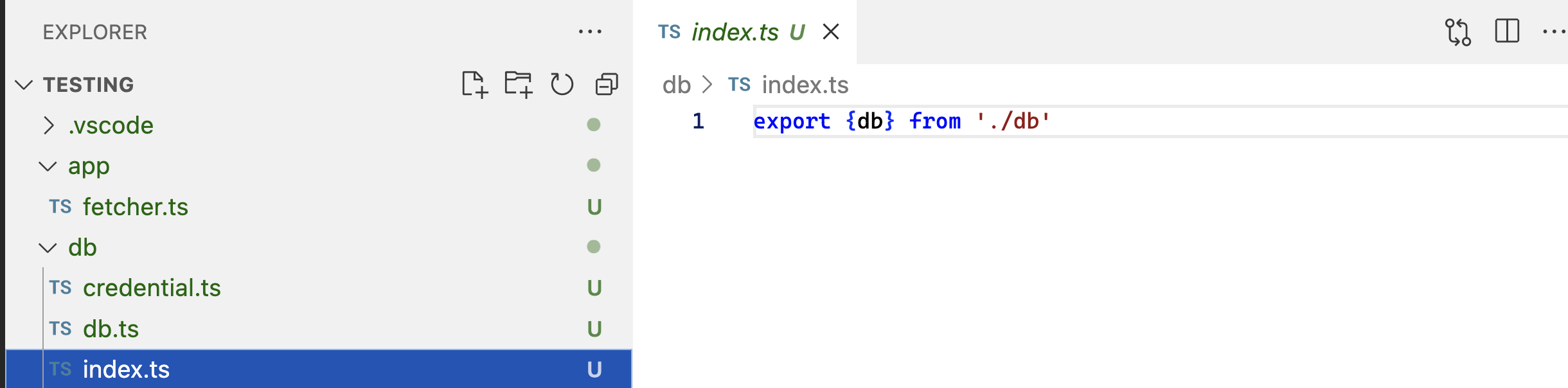
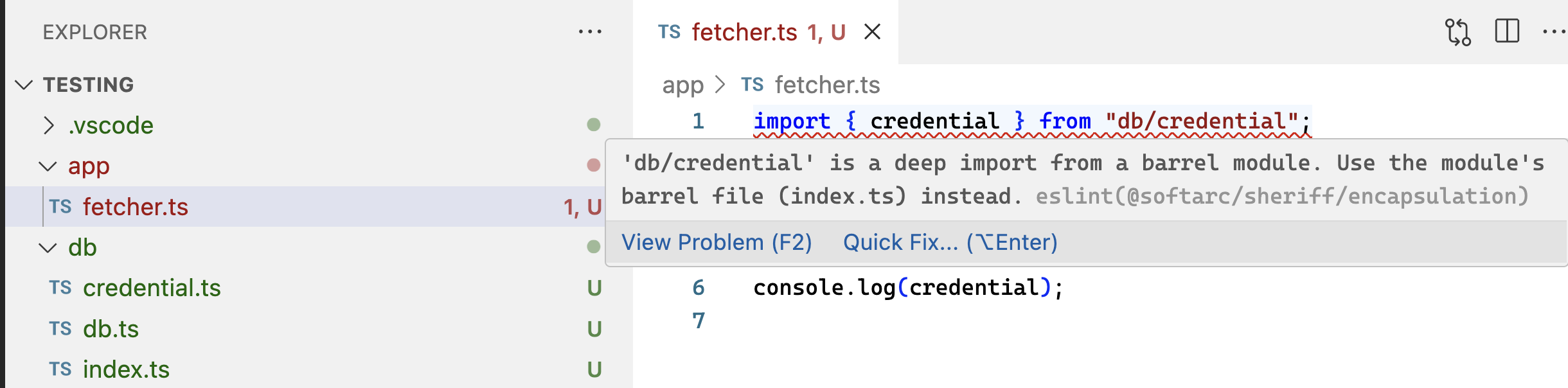
The screenshot below shows the same example with db and web as barrel modules. db has an index.ts that exports db.ts. credential.ts is not in an internal folder but is still encapsulated because it is not exported.
fetcher.ts accessing db.ts causes therefore no error.
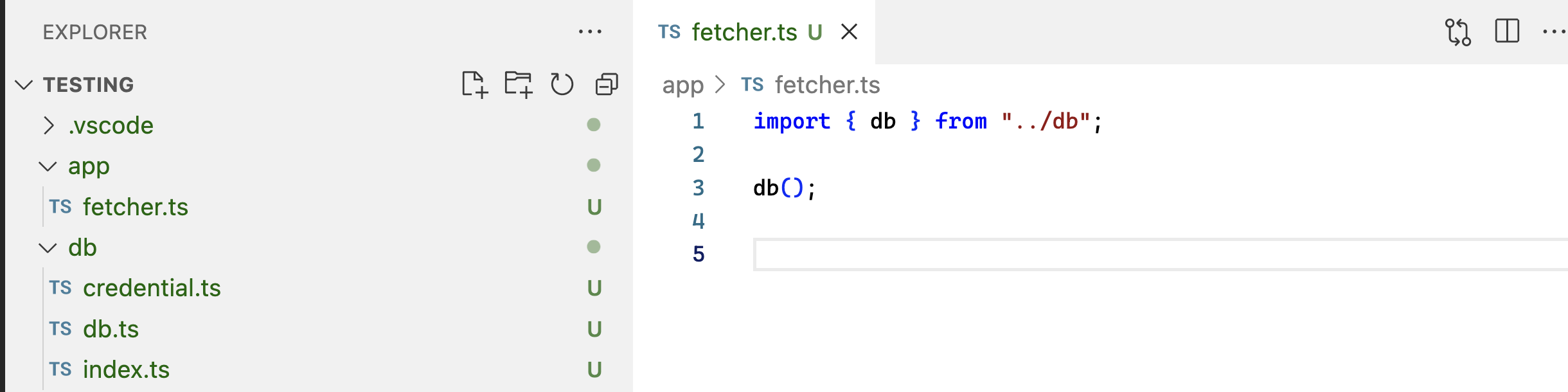
An access to the non-exported credential.ts causes an error.
It is also possible to disable the automatic module detection. For more information, see Dependency Rules.